

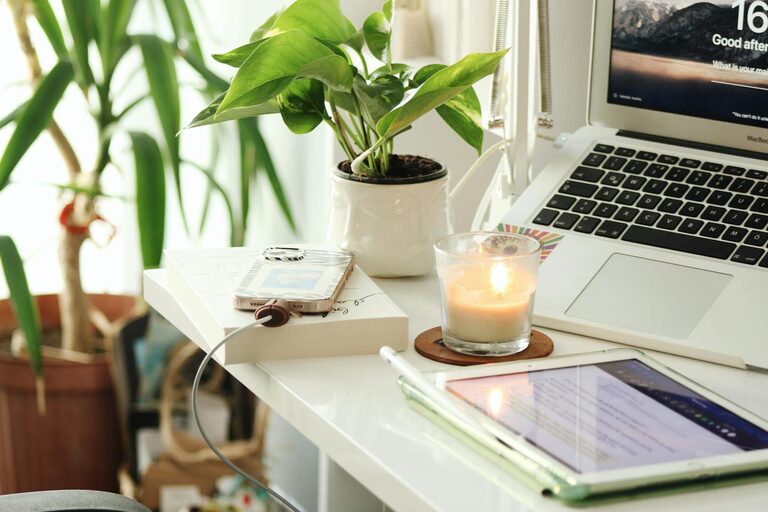
Creating a workspace at home that is both cozy and productive can greatly enhance your work experience and efficiency. Whether you work remotely full-time or occasionally need a quiet spot for tasks and projects, a well-designed home office setup makes a difference. Here are some practical tips to help you design and maintain a workspace that feels inviting and supports your productivity.
Choose the Right Location
Selecting the ideal spot for your home workspace is the first step to success.
– Find a Quiet Area: Look for a space with minimal distractions and noise. This could be a spare room, a corner in the living room, or even a nook in your bedroom.
– Good Lighting: Natural light is best whenever possible; it improves mood and reduces eye strain. Position your desk near a window. If natural light is limited, invest in quality task lighting.
– Accessibility: Make sure the space is easily accessible but not a high-traffic area to avoid interruptions.
Invest in Comfortable and Functional Furniture
Comfort is key for long hours of work, while functionality keeps your setup organized.
– Ergonomic Chair: Choose a chair that supports your posture. Adjustable height, back support, and cushioned seating help prevent discomfort.
– Appropriate Desk: Ensure the desk matches the height of your chair and has enough surface area for your computer, documents, and accessories.
– Additional Furniture: Consider shelves, filing cabinets, or small storage units to keep your workspace tidy and organized.
Personalize Your Workspace
Adding personal touches can make your workspace feel welcoming and inspiring.
– Decorate Wisely: Use artwork, plants, or motivational quotes to brighten the space without cluttering it.
– Color Choice: Opt for calming colors like soft blues, greens, or neutrals to create a relaxing environment.
– Personal Items: Include items that make you happy or relaxed, such as photos or a favorite mug.
Organize Your Equipment and Supplies
A clutter-free workspace helps keep your mind clear and focused.
– Cable Management: Use clips or sleeves to gather cords and cables neatly.
– Storage Solutions: Use drawer organizers, boxes, or trays to keep pens, papers, and other supplies in order.
– Digital Organization: Keep desktop icons tidy and files well-arranged on your computer to reduce stress.
Establish a Productive Routine
Creating habits that reinforce productivity can transform your workspace into a zone for focus.
– Set Work Hours: Define specific times for work to create a routine, even if you have a flexible schedule.
– Breaks Matter: Take short, regular breaks to rest your eyes and stretch, boosting overall productivity.
– Limit Distractions: Use apps or settings to silence notifications during focused work periods.
Incorporate Elements for Comfort and Wellness
Feeling physically comfortable supports your ability to concentrate.
– Temperature Control: Ensure your workspace is adequately ventilated and at a comfortable temperature.
– Air Quality: Add indoor plants or use an air purifier to keep air fresh.
– Move Often: Incorporate a standing desk or take moments to stand and move around.
Leverage Technology Wisely
Technology can enhance your workflow if chosen thoughtfully.
– Reliable Internet Connection: Ensure your Wi-Fi is strong and stable for uninterrupted work.
– Useful Tools: Use productivity software, calendars, and to-do list apps to stay organized.
– Ergonomic Accessories: Invest in a separate keyboard, mouse, or monitor to reduce strain.
Keep It Flexible and Evolving
Remember that your needs may change, so be open to adjusting your workspace.
– Rearrange Occasionally: A fresh layout can boost creativity and comfort.
– Declutter Regularly: Make time weekly to tidy and reorganize your area.
– Experiment: Try different lighting, seating, or decor to find what works best.
—
By following these tips, you can create a home workspace that feels both cozy and highly productive, making work feel less like a chore and more like a pleasant part of your day. Prioritize comfort, organization, and personalization to maintain motivation and improve your performance from home.