

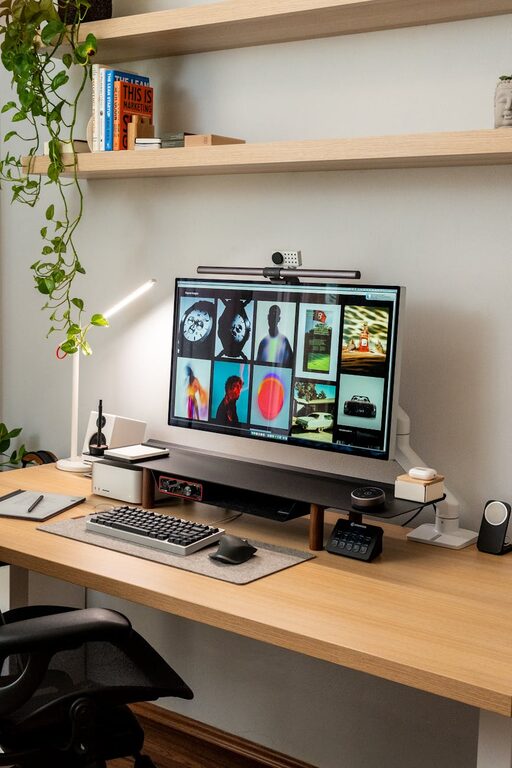
Creating a home workspace that feels cozy and inviting can make a big difference in your daily productivity and overall mood. When your workspace is comfortable and pleasant, it encourages focus and helps reduce stress. Whether you have a dedicated room or just a small corner in your home, these simple tips will help you design a workspace that is both functional and warm.
Choose the Right Location
The first step in setting up your home workspace is selecting the best location. Ideally, pick a quiet spot with minimal distractions. Near a window is a great choice because natural light can improve mood and energy levels. If natural light isn’t an option, make sure to invest in good quality lighting that won’t strain your eyes.
Consider Your Work Needs
Think about what activities you’ll be doing in your workspace. If you spend long hours at the computer, choose a place where you can adjust your seating and monitor height comfortably. If you need to sketch, write, or brainstorm, a flexible desk space with room for supplies is essential.
Invest in Comfortable Furniture
Comfort is key to creating an inviting workspace. A good ergonomic chair supports your posture and prevents discomfort. Look for a chair with adjustable features to customize it for your body.
Your desk should suit your work style. If you prefer standing occasionally, consider a sit-stand desk or an adjustable desk converter. Make sure your desk has enough surface area to organize your tools without clutter.
Add Personal Touches
Personalizing your workspace makes it feel welcoming and uniquely yours. Add a few items that inspire you, such as a favorite photo, a small plant, or artwork. Choose colors and decorations that you find calming and motivating.
However, be mindful not to overcrowd your desk with too many items, as clutter can reduce focus.
Organize for Efficiency
A tidy workspace promotes productivity and reduces stress. Use organizers for papers, pens, and other supplies. Desk trays, drawer dividers, and cable clips help keep everything in order.
Regularly declutter your space to remove unnecessary items. Keeping your workspace neat helps maintain a clear mind throughout the workday.
Use Soft Textiles and Warm Lighting
Adding soft textiles like a cozy rug, a cushioned chair pad, or a throw blanket can make your workspace feel warmer and more comfortable. These elements add texture and can create a soothing environment.
Lighting plays a crucial role in setting the mood. Besides overhead lighting, consider adding a desk lamp with a warm glow. Avoid harsh fluorescent lights that can cause eye strain.
Incorporate Greenery
Plants not only improve air quality but also create a relaxing atmosphere. Choose low-maintenance plants like succulents, snake plants, or pothos. Place them on your desk or nearby shelves for a touch of nature.
Keep Technology Handy but Minimal
Technology is essential for a home workspace but can sometimes feel overwhelming. Arrange your devices so they’re within reach but not cluttering your desk.
Wireless accessories like keyboards, mice, and headphones reduce cords and keep your area clean. Use a charging station to keep your gadgets powered without tangled cables.
Maintain a Routine and Take Breaks
Even the coziest workspace benefits from good habits. Set a routine to start and end your workday within your workspace to establish boundaries.
Remember to take breaks and move around. Using your comfortable workspace as a place to focus is important, but so is giving yourself time to recharge.
Conclusion
Creating a cozy and inviting home workspace doesn’t require a complete overhaul or expensive purchases. With thoughtful location choices, comfortable furniture, personal touches, and good organization, you can build a space that supports your productivity and makes working from home enjoyable. Start small and adjust as you go—your ideal workspace is one that fits your needs and feels like a place you want to spend time in.