

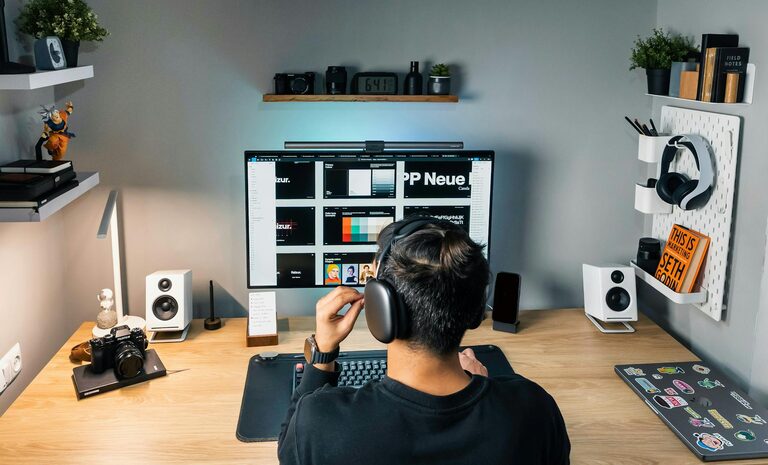
Creating a home office that is both comfortable and productive is essential for anyone working remotely or managing tasks from home. A well-designed workspace can improve focus, reduce stress, and make your workday more enjoyable. Whether you have a dedicated room or just a small corner, there are simple ways to optimize your home office for success. Here are practical tips to help you create a comfortable and productive work environment.
Choose the Right Location
Find a Quiet, Low-Traffic Spot
Selecting a spot with minimal distractions is key. Ideally, choose a room or area away from noisy household activities. If space is limited, use room dividers or noise-cancelling headphones to help create a focused zone.
Consider Natural Light and Ventilation
A space with plenty of natural light boosts mood and reduces eye strain. Position your desk near a window if possible, but avoid direct glare on your screen. Good airflow is also important, so ensure your workspace is well-ventilated.
Invest in Ergonomic Furniture
Select a Supportive Chair
A comfortable, adjustable office chair supports your back and encourages good posture. Look for chairs with lumbar support, adjustable height, and armrests.
Choose the Right Desk
Your desk should be large enough to hold your computer, supplies, and any other essentials without feeling cramped. Consider an adjustable standing desk to alternate between sitting and standing, which can reduce fatigue.
Organize Your Workspace Efficiently
Keep Essentials Within Reach
Arrange frequently used items like pens, notebooks, and chargers where you can easily access them. This setup reduces interruptions and keeps your workflow smooth.
Declutter Regularly
A tidy workspace minimizes distractions and promotes calm. Use storage solutions such as shelves, drawers, and organizers to keep your desk neat.
Manage Cables and Electronics
Organize cables with clips, sleeves, or trays to prevent tangles and hazards. This also improves the overall look of your workspace.
Optimize Lighting
Use Layered Lighting
Combine natural light with task lighting such as desk lamps. Adjustable lamps allow you to control brightness and direction, reducing eye strain.
Avoid Glare and Shadows
Position lights and screens to minimize glare. Consider using anti-glare screen protectors or curtains to control sunlight.
Personalize Your Space
Add Elements That Inspire
Incorporate plants, artwork, or meaningful items to create a pleasant atmosphere. These touches make your workspace feel welcoming and can boost motivation.
Choose Calming Colors
Color affects mood; soft blues, greens, or neutrals are often soothing and help concentration. Avoid overly bright or distracting patterns.
Establish Boundaries and Routine
Set Clear Work Hours
Having specific work hours helps separate professional time from personal time, preventing burnout. Communicate your schedule to family or roommates.
Define a “Start Work” Ritual
Beginning your day with a routine, like organizing your desk or making coffee, signals to your brain it’s time to focus.
Incorporate Technology Wisely
Invest in Reliable Equipment
A fast computer, quality headset, and strong internet connection reduce frustration and downtime.
Use Productivity Tools
Apps for task management, time tracking, and collaboration can help keep you on track and connected.
Take Breaks and Move
Schedule Regular Breaks
Short breaks help maintain energy and focus. Use techniques like the Pomodoro Method (25 minutes work, 5 minutes rest) to structure your time.
Include Movement
Stretching or walking during breaks improves circulation and reduces stiffness from sitting.
—
By applying these tips, you can create a home office space that supports your comfort and productivity. Start small and adapt your setup as you learn what works best for you. A thoughtfully arranged workspace is a valuable investment in your workday wellbeing and success.