

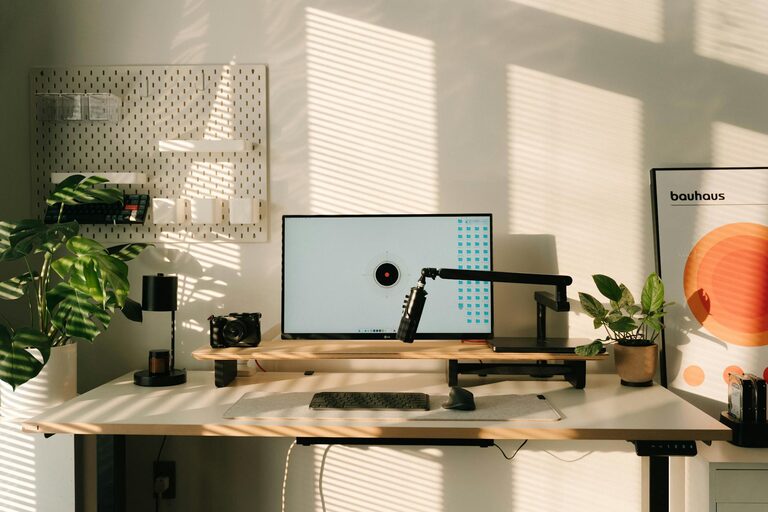
Creating a home office that is both inviting and productive can make a significant difference in your work-from-home experience. Whether you’re a full-time remote worker or occasionally work from home, designing a space that fosters focus and comfort helps you maintain a healthy work routine. This post shares practical tips to help you set up a home office that supports both efficiency and wellbeing.
Why an Inviting and Productive Home Office Matters
A well-designed home office helps minimize distractions, reduces stress, and encourages good work habits. When your workspace feels pleasant and is thoughtfully arranged, you’re more likely to stay motivated and complete tasks effectively. Plus, having a designated office area signals to your brain when it’s time to work, making it easier to switch between work and personal life.
Choose the Right Location
The first step is selecting a suitable spot for your home office. Consider the following:
– Natural Light: Try to pick a space near a window. Natural light helps improve mood and energy levels.
– Quiet Environment: Choose a place away from household noise or high-traffic areas to minimize interruptions.
– Space and Comfort: Make sure the area is spacious enough for your office furniture and allows some movement.
If space is limited, even a corner of a room or a section of a closet can work as long as it includes these elements.
Invest in Comfortable, Functional Furniture
Your furniture plays a crucial role in your comfort and productivity.
– Ergonomic Chair: An adjustable, supportive chair prevents back pain and promotes good posture during long work hours.
– Desk with Adequate Surface: A desk that fits your computer, documents, and any other tools you need keeps you organized.
– Additional Seating: If space allows, adding a small comfortable chair or standing desk can provide alternative working positions.
Remember, comfort does not just mean feeling good today — it also means preventing discomfort or injuries over time.
Organize for Efficiency
A cluttered desk leads to a cluttered mind. Keep your workspace tidy with these tips:
– Declutter Regularly: Remove unnecessary papers, gadgets, and items you don’t use daily.
– Use Storage Solutions: Shelves, filing cabinets, drawers, and desk organizers help keep things in place.
– Cable Management: Use clips, ties, or boxes to keep power cords and cables organized and out of sight.
Creating an organized space saves time searching for things and enhances your focus.
Personalize Your Workspace
Adding personal touches can make your office feel more inviting and motivate you.
– Decorate with Plants: Indoor plants add color, improve air quality, and create a calming atmosphere.
– Add Art or Photos: Surround yourself with images that inspire or make you happy.
– Choose a Soothing Color Scheme: Colors like soft blues, greens, or warm neutrals can create a pleasant environment without being distracting.
Balance personalization with professionalism, especially if you have virtual meetings.
Optimize Lighting
Lighting impacts how well you can complete tasks and your eye comfort.
– Combine Natural and Artificial Light: Use daylight when possible and supplement with adjustable desk lamps.
– Avoid Glare: Position your monitor to reduce reflections from windows or lights.
– Choose the Right Bulbs: Opt for bulbs with a color temperature around 4000K to 5000K, which mimics daylight and reduces eye strain.
Good lighting reduces fatigue and improves concentration.
Establish Work Boundaries
Maintaining balance when working from home can be challenging. Create clear work boundaries by:
– Defining Work Hours: Set a schedule and stick to it as much as possible.
– Using Visual Cues: A closed door or a room divider can indicate to others when you’re working.
– Taking Regular Breaks: Step away from your desk every hour to stretch or rest your eyes.
These habits help separate work time from personal time and support your mental wellbeing.
Use Technology Wisely
Your digital setup impacts productivity too.
– Reliable Internet Connection: A strong, stable connection avoids disruptions in online meetings or work.
– Ergonomic Accessories: A wireless keyboard and mouse can reduce strain.
– Noise-Cancelling Headphones: Useful in noisy environments to help focus or participate in calls without distractions.
Keep software updated and organized, and use productivity tools that streamline tasks.
Maintain Cleanliness and Freshness
A clean and fresh-smelling office invites you to spend time there.
– Regular Cleaning: Dust surfaces, vacuum floors, and clean computer screens.
– Air Circulation: Open windows or use air purifiers to keep air fresh.
– Avoid Strong Scents: Aromatherapy can be nice, but avoid overpowering smells that may cause headaches.
A neat and fresh environment positively affects your mood and productivity.
Final Thoughts
Designing an inviting and productive home office is about balancing comfort, organization, and personal style. By choosing the right location, investing in ergonomic furniture, optimizing lighting, and setting work boundaries, you set yourself up for success. Small updates and regular maintenance keep your workspace enjoyable and efficient over time. With these tips, your home office can become a place where you look forward to working every day.